


Mix the Music you love
DJ with Apple Music on iPhone, iPad


 Editor’s Choice
- 250M+ Downloads
- App of the Day
YOUR MUSIC
From your favorite playlists to your next mix.
Connect Apple Music to browse your playlists and explore its catalog directly in edjing Mix. Find a track you love, load it onto a deck, and start building your mix.
AUTOMIX
You pick the music. Let Automix connect it.
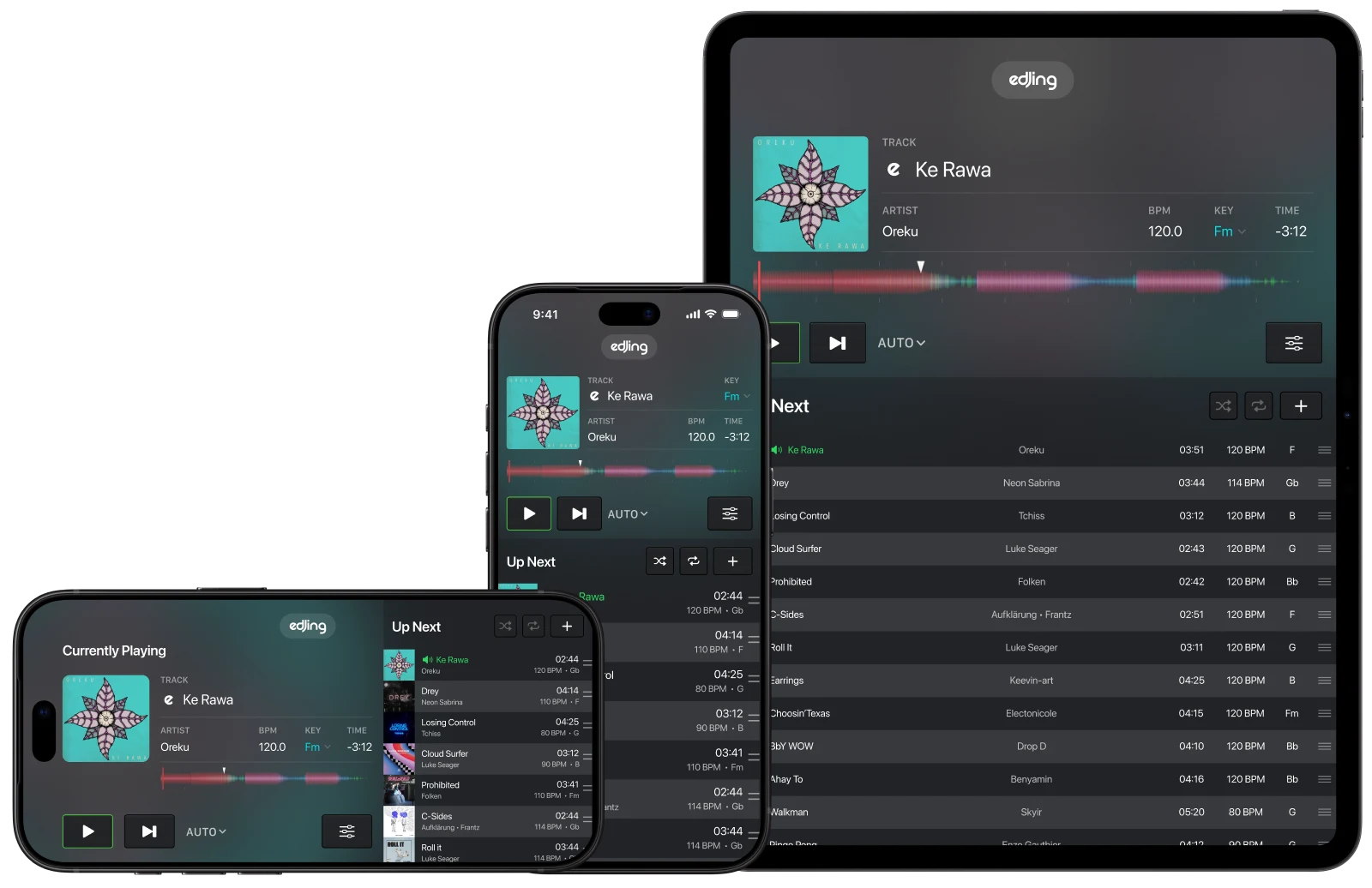
Choose an Apple Music playlist and let edjing’s Automix handle the transitions. Arrange your queue, choose what plays next, and take over on the decks whenever you’re ready.
TAKE CONTROL
Your tracks. Your transitions. Your rules.
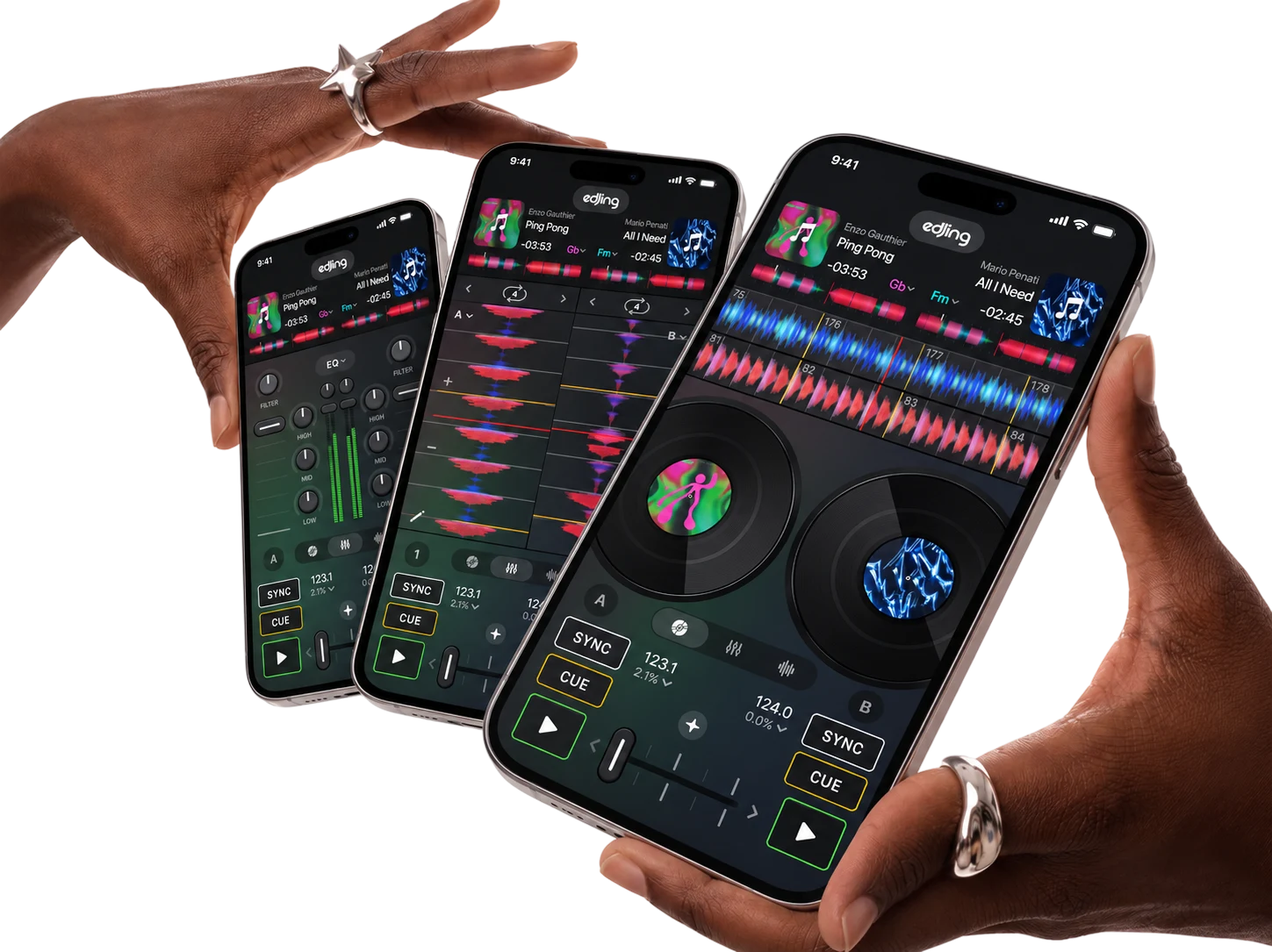
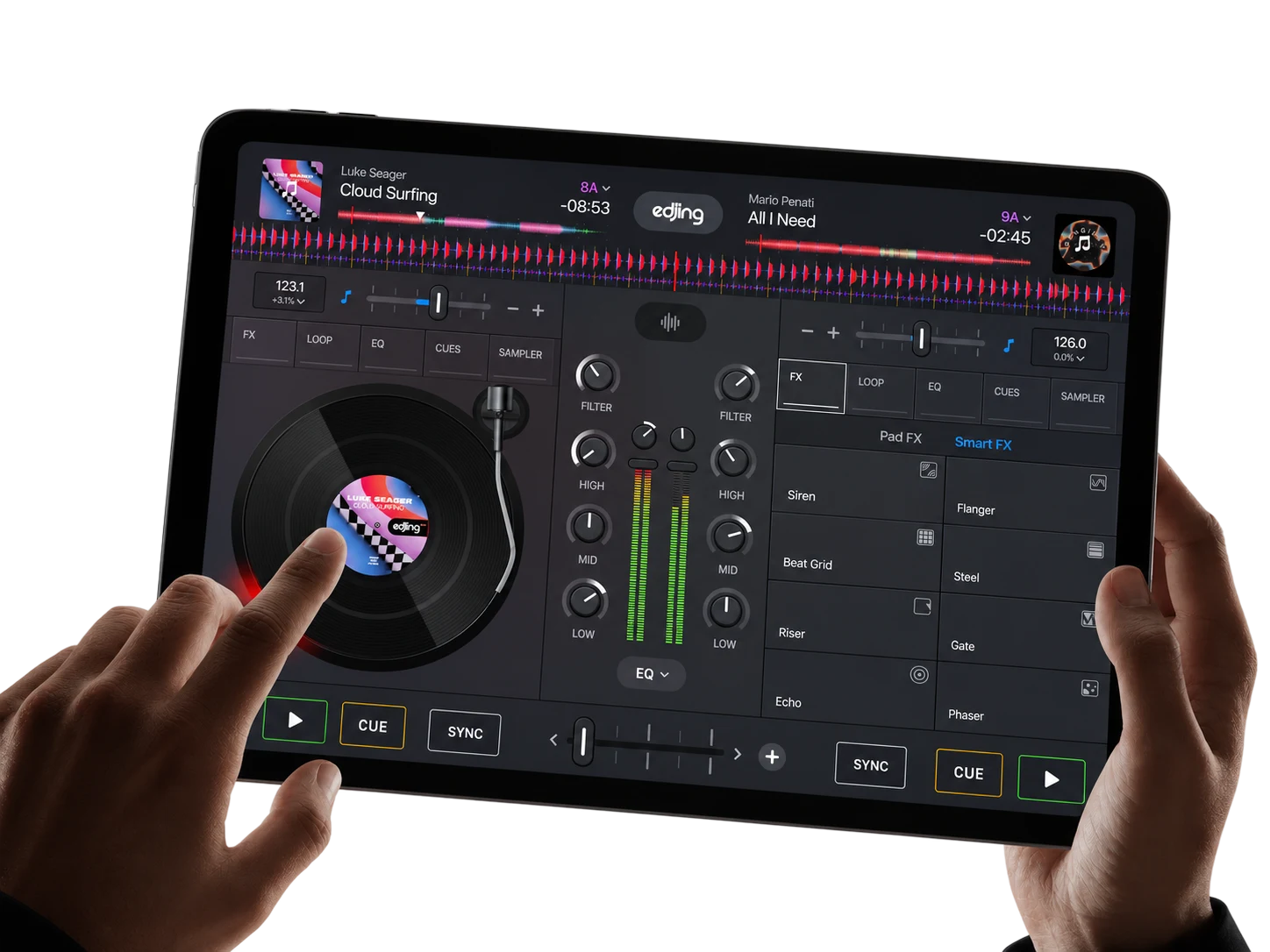
Blend two tracks, shape the sound with EQ and effects, and build your transitions with loops and hot cues. Use Sync to help align the beats while you decide how the mix unfolds.
EXPLORE THE POSSIBILITIES
More ways to play the music you love.
 Browse the catalog and bring your next track straight to the decks.
- Use BPM detection and Sync to help bring your tracks together.
- Build your mix around the music you’ve already collected.
- Explore EQ, filters, effects, loops, and hot cues to shape your sound.
- Turn your track selection into a continuous mix with automatic transitions.
- Get hands-on with a DJ experience designed for iPhone and iPad.
GET STARTED
From listening to mixing. In three simple steps.
Open edjing Mix
Head to the music library to choose your music source.
Connect Apple Music
Follow the on-screen steps to connect your account.
Make your first mix
Choose your tracks, load the decks, and start exploring.
FAQ
Mixing with Apple Music.
 What do I need to mix with Apple Music?
The latest version of edjing Mix, an active Apple Music subscription and an internet connection to load your tracks.
How do I connect my Apple Music account?
Open the Music Library, choose Apple Music, tap Log in and sign in with your Apple Account. Your library and playlists show up right away.
Can I access my Apple Music playlists?
Yes. Your playlists, songs, albums and artists are all there, along with Listen Now, Charts and the full catalog search. You can also create playlists and add tracks to them.
Do I need an edjing Mix subscription too?
No. An Apple Music subscription is all you need to mix its tracks. edjing Mix PRO unlocks extra effects, tools and content.
Can I use Apple Music tracks with Automix?
Yes. Pick an Apple Music playlist and Automix mixes it for you, with smooth transitions from one track to the next.
Can I mix offline, record my mixes, or use stem separation?
No. Apple Music tracks need an internet connection. Apple’s terms also don’t allow recording or stem separation on these tracks.
Is Apple Music available on Android?
No, at this time Apple Music is only available on edjing Mix for iOS.
Can I use Apple Music with my DJ controller?
Yes. Apple Music tracks work like any other track with compatible MIDI controllers.
Why can’t I load a specific track?
Some tracks aren’t available in every country, or are blocked by your account’s content restrictions. If the problem continues, sign in to Apple Music again from the library.
It says the track is already playing on another device.
Apple Music only plays on one device at a time per account. Pause it on your other device, then try again.
Can I use edjing Mix with Apple Music at parties, events or for commercial use?
No. The integration is for personal, non-commercial use only.