Isolate the vocal
Lower the accompaniment to isolate a vocal for a live mashup.



Stemz in edjing Mix
Isolate vocals, drums and instruments with AI. Control each element independently and build live mashups in edjing Mix.
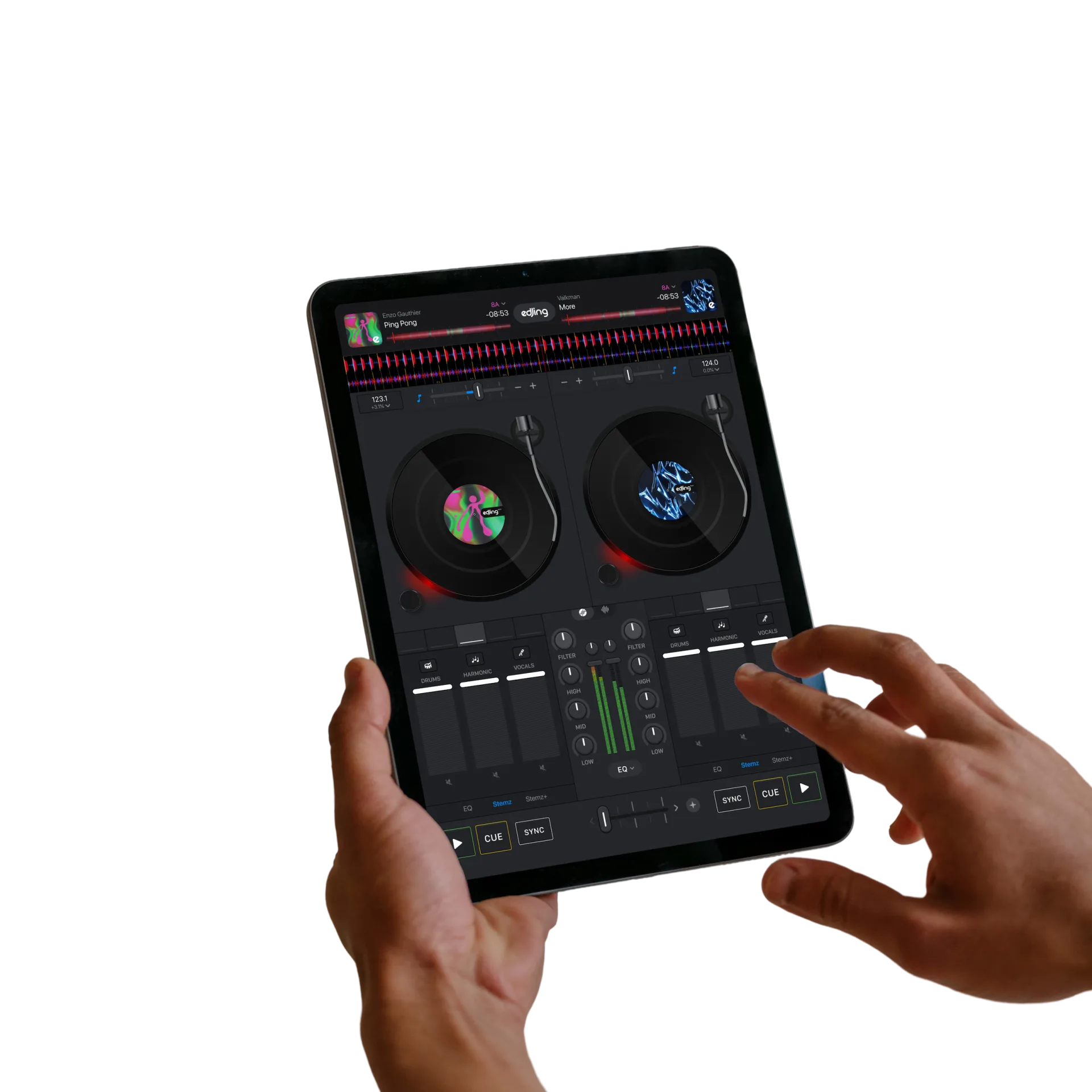
Stemz separates supported tracks into musical elements called stems. Adjust their levels or mute them independently while mixing.
Lower the accompaniment to isolate a vocal for a live mashup.
Mute the lead vocal to make room for another track’s voice.
Reduce the drums for a breakdown and restore them at the next phrase.
Combine the vocal from one track with the instrumental from another. Reduce the drums for a breakdown, then restore them at the transition.
Control the stems alongside the decks, EQ and effects.
Two tracks. One mashup.
Choose a supported audio file from your library and load it onto a deck in edjing Mix.
Open the Stemz controls to adjust the individual elements.
Adjust a stem’s level or mute it, then introduce a second track.

Load a supported audio file from your library to use Stemz.
Stem separation depends on the music source. It is not available for Spotify tracks, and other streaming services may have restrictions.
Questions & answers
AI stem separation extracts elements such as vocals, drums and instruments from a mixed recording. Stemz lets you adjust or mute them independently in edjing Mix.
Yes, on supported tracks. Mute the vocal to focus on the instrumental, or turn down the other elements to bring the vocal forward. The result depends on the original recording and the separation model.
No. Spotify tracks cannot be used for stem separation in edjing Mix. Other sources may also restrict separation. Start with your own supported audio files. Explore music sources.
No. Stemz is built into edjing Mix, using the same separation technology as the standalone Stemz app with controls designed for DJ mixing.
edjing Mix is free to download. Access to Stemz controls depends on the offer available in the app. The current subscription offer provides unlimited access to all Pro features of edjing Mix and Stemz. Check the in-app offer for its price and terms.