

EDJING MIX · IPHONE DUO
Your decks. Unfolded.
Open up more room for your mix. edjing Mix adapts Classic, Essential and Automix to iPhone Duo, from a closed phone to a fully unfolded screen.

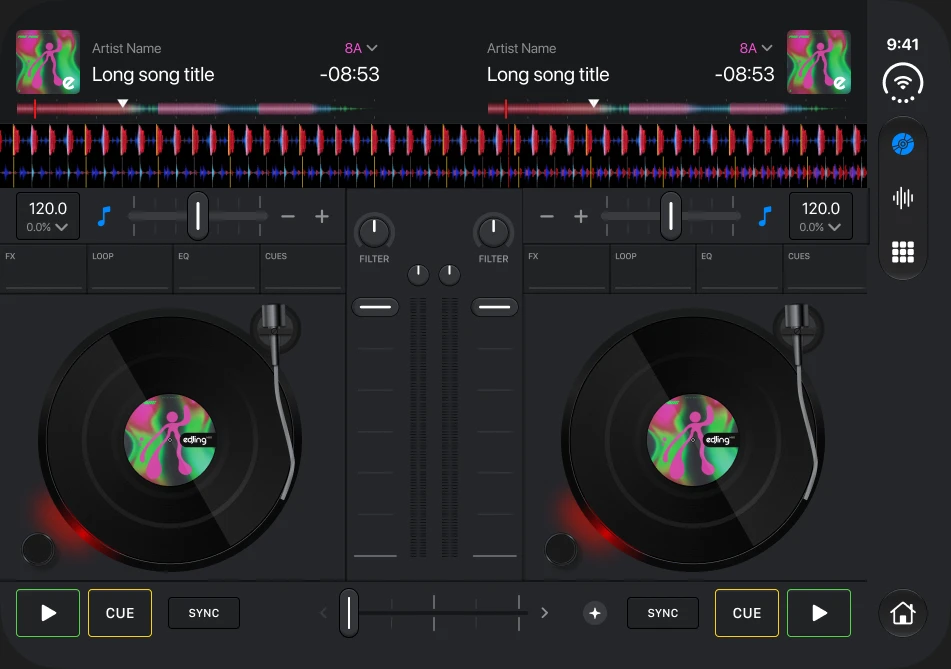
Interface previews from edjing Mix. Track names and artwork are illustrative.
01 / Partially folded
Your next track. Right beside your mix.
Choose your next track while keeping both decks in view. The landscape layout places the library and mixing controls side by side; in laptop mode, the controls stay within reach.
Explore music sources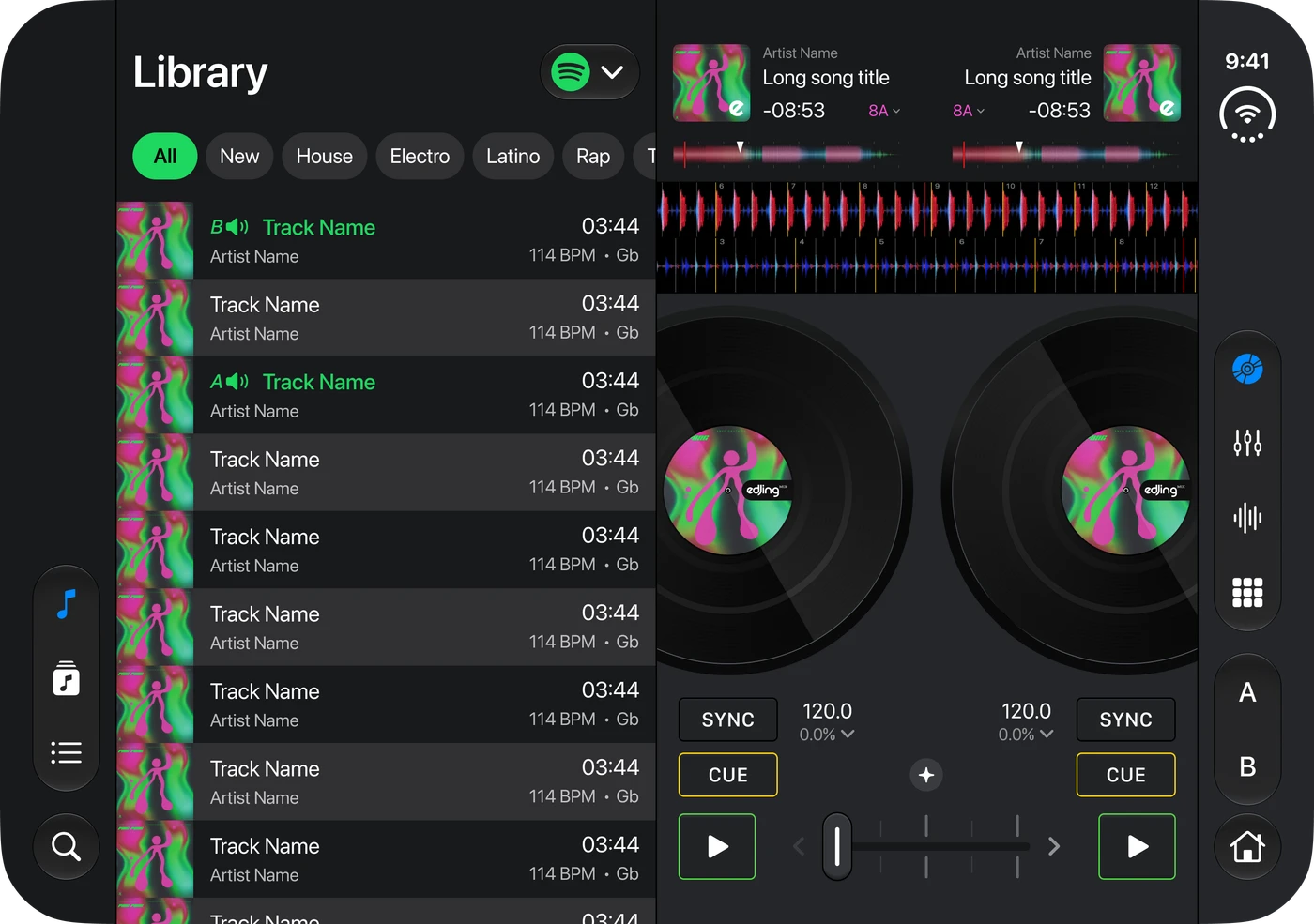
02 / AUTOMIX
Set it down. Let Automix play.
In tent mode, Automix gets its own playback view, with a large record and simple controls. Choose a playlist and let the transitions flow. Unfold your phone when you want to take control again.
Explore Automix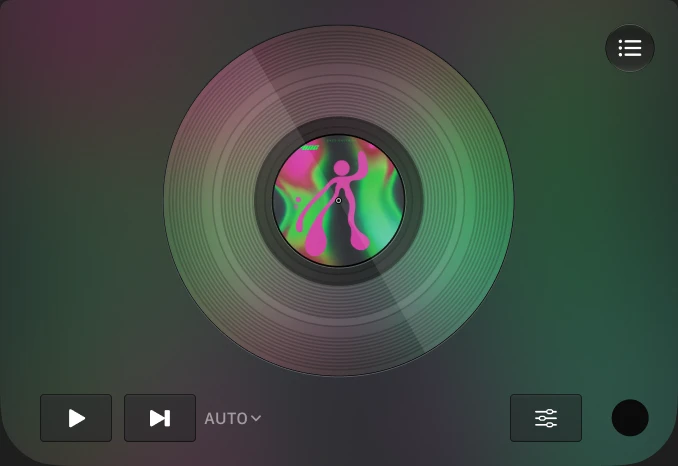
APPLE NEWSROOM ·
Featured by Apple.
Apple included edjing Mix in its iPhone Duo launch showcase on October 22, 2026, highlighting the extra room for decks and DJ tools.
Read on Apple NewsroomQuestions & answers
About mixing on iPhone Duo
Which edjing Mix modes adapt to iPhone Duo?
Classic, Essential and Automix have layouts for iPhone Duo in open, partially folded and closed positions. Update edjing Mix from the App Store to get the latest experience.
Can I see my library and decks together?
Yes. In the partially folded landscape layout, the music library appears beside the decks so you can browse tracks while keeping your mix in view.
What does Automix do in tent mode?
Automix displays a dedicated playback view with a large record and playback controls. It mixes the tracks in your selected playlist with automatic transitions.
Does iPhone Duo change the rules for Apple Music tracks?
No. An active Apple Music subscription and an internet connection are still required. Apple Music tracks cannot be recorded, used offline or separated into stems, and the integration is for personal, non-commercial use only.
Open up your next mix.
Get the latest edjing Mix on the App Store and explore the layouts on your iPhone Duo.